
Progress Report: October 2021
New save structure, world presets & preset editor
After a small hiatus in September, due to exam period at university and taking some time off afterwards, I’m back to game development. Let’s have a look at the exciting progress that happened in October.
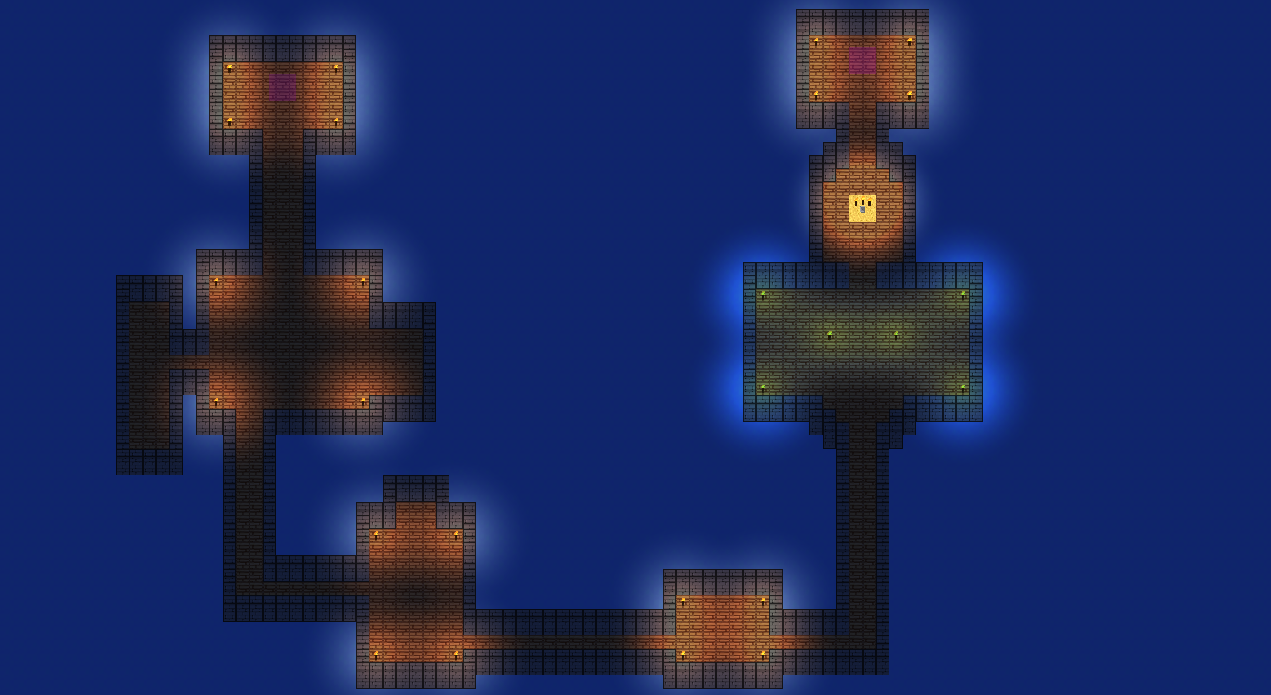 |
| Dungeons like this can now be shipped as a world preset! |
This month has been all about technical improvements to the save system.
As is widely known the player’s progress data has to be stored in some way. Also, the player is able to interact with the environment and modify it. Therefore, the different worlds (i.e. the overworld or the dungeon) need to be written to the save file too. What lead to a problem so far was that save file data and loaded world data were strongly interconnected. Meaning it was not possible to have only a certain world loaded at a time, but instead all data from the save file had to be loaded and deserialized at once.
For the current pre-alpha.0.3 this was so far not an issue, as two worlds is still not a lot. Nonetheless, going forward and potentially having dozens of worlds in a save file, there needs to be a way to only deserialize part of it at any given time.
New save structure
The new save structure allows for single worlds to be deserialized on demand. While the entire file is parsed and loaded into RAM when a savegame is opened, only the necessary worlds will be deserialized and initialized as game world objects.
The structure loosely looks like this:
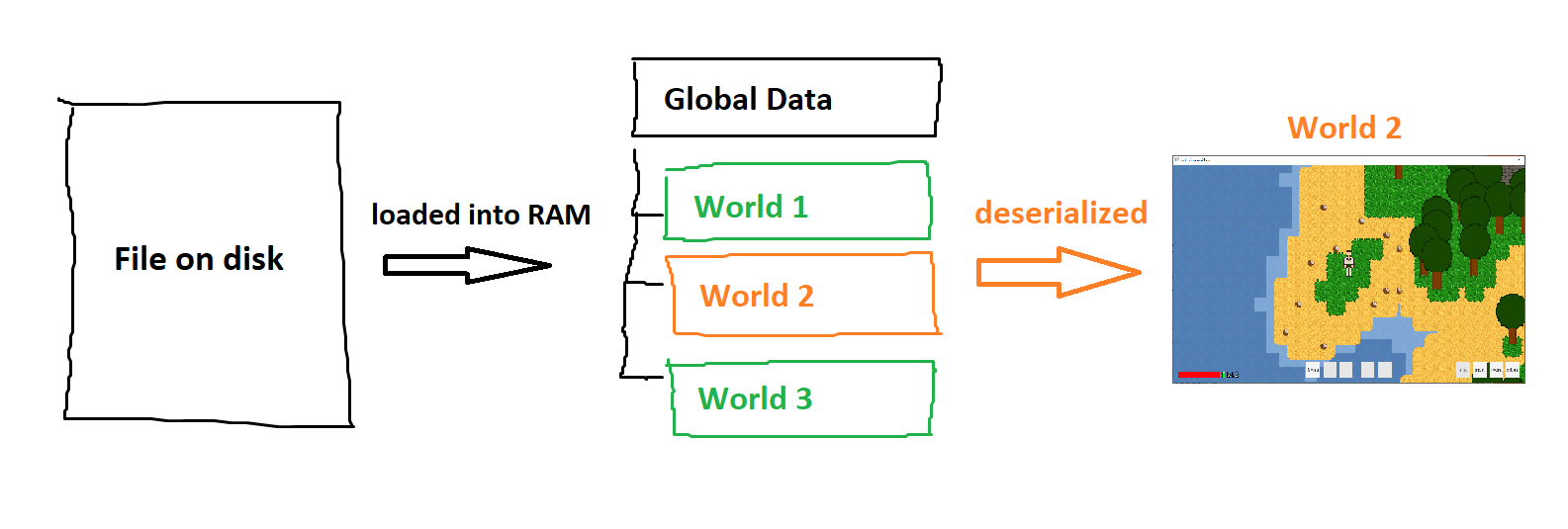 |
| The new save file structure |
As you can see the world data are neatly available in a list to be selected and deserialized into actual game objects when needed.
World presets & The preset editor
Another addition this month has been separate world presets. Up until now all world data was included in the single savegame that shipped with the game. It is now possible to include pre-made worlds in the games files. They can be loaded into a savegame on demand.
Here is a little glimpse of the new world preset editor:
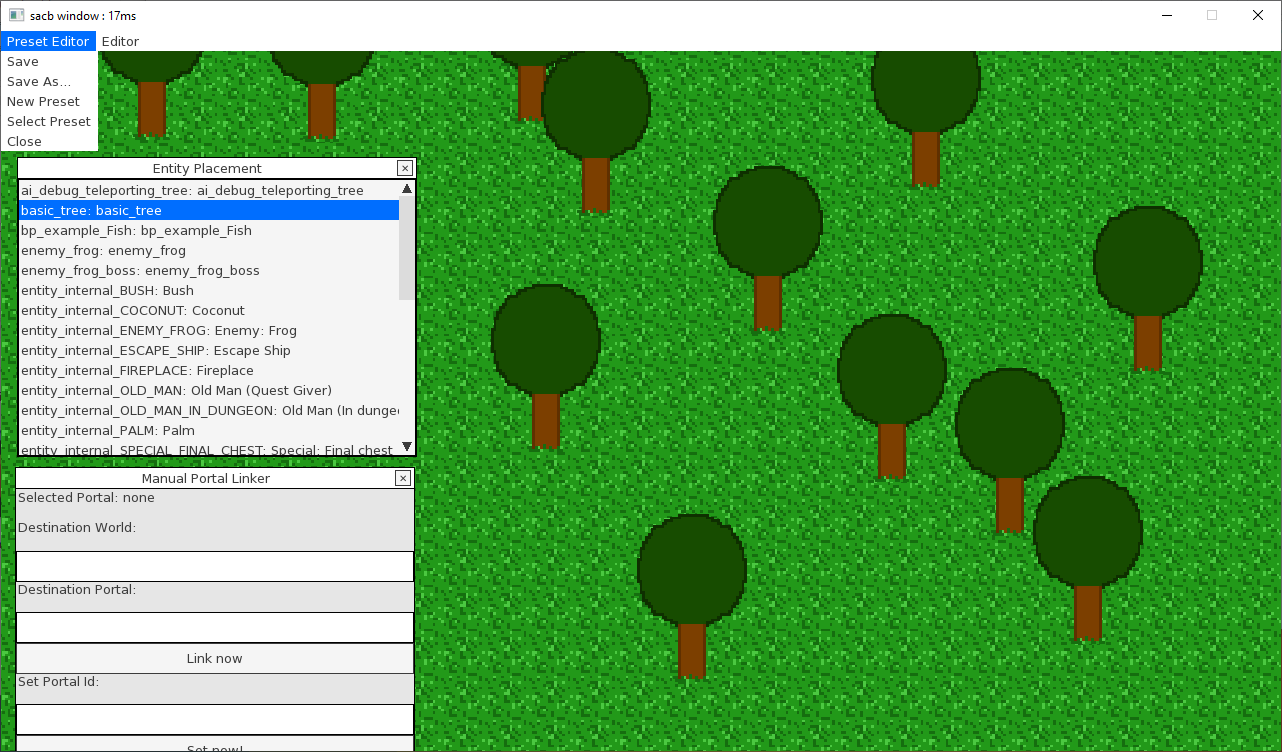 |
| The new preset editor |
This editor allows for editing and easy management of world presets in the game’s data directory in order to create unique game environments (i.e. special dungeons or boss fight areas).
The world preset editor is available by pressing F2 in the main menu.
Thanks for reading!
See you next month!